Scale connects the drawing to a real space
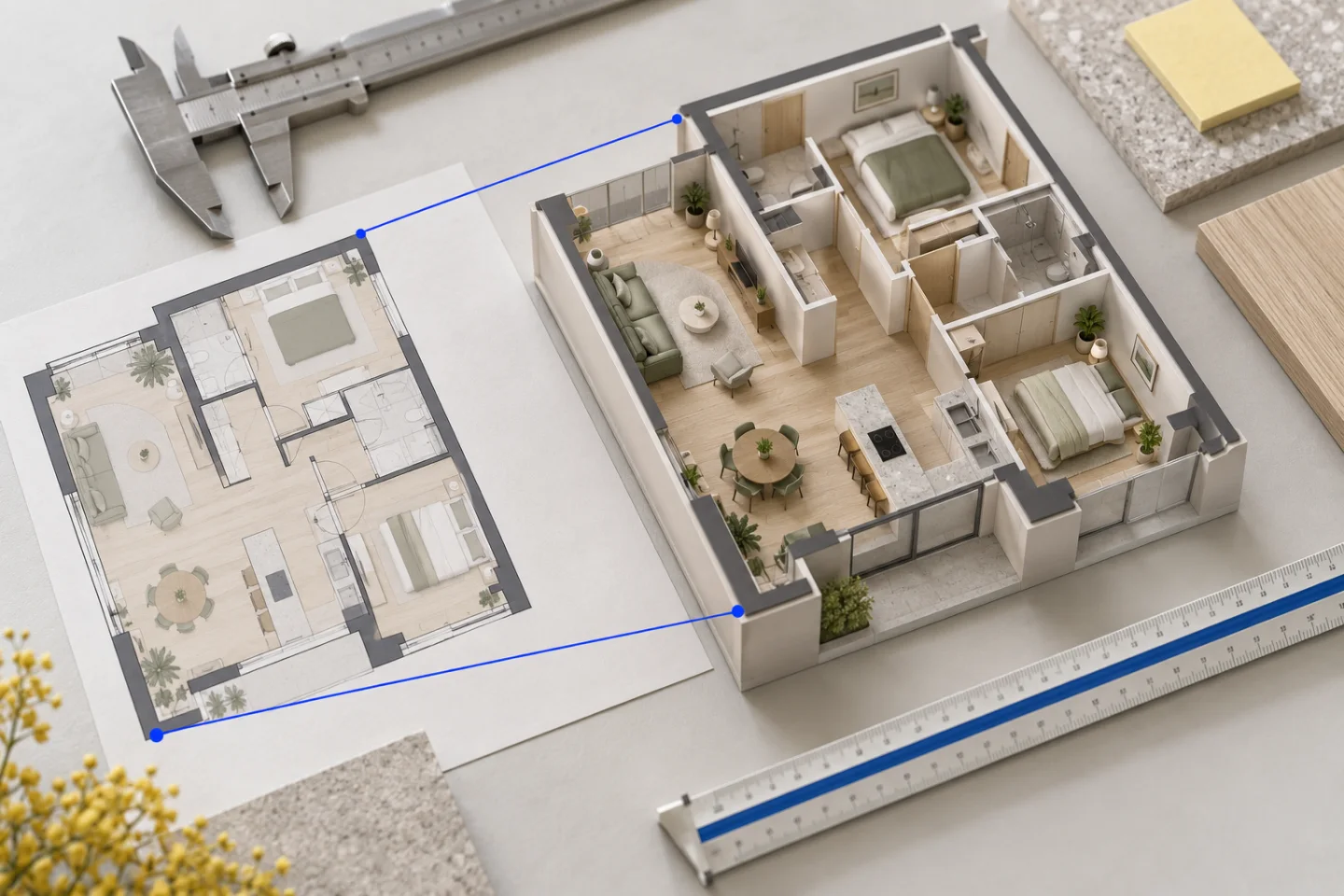
A floor plan shows relationships on a flat surface. A 3D model needs those relationships expressed in consistent units. If a wall is interpreted at the wrong scale, the rooms may still look plausible while furniture, door widths and walking routes become misleading. Establishing scale is therefore an early source check rather than a cosmetic adjustment at the end.
For an image or scan, pixels do not inherently represent metres. For a CAD file, numerical geometry still needs a known unit convention. In both cases, a confirmed dimension provides a useful anchor. Several dimensions across different parts of the plan give you a way to check whether that interpretation holds consistently.
Do not rely on a printed scale after resizing
A label such as 1:100 describes a relationship under particular drawing and output conditions. It does not mean every photograph or screenshot of that sheet keeps the same relationship to screen pixels. Printing with fit-to-page, resizing a scan or photographing at an angle changes the image you are working from.
Use dimension values on the drawing where they are readable and current. If you measure the paper itself, establish how that copy was produced before assuming its printed scale still holds. When the source has already been cropped or stretched, request a reliable measurement rather than trying to infer certainty from the label alone.
Choose independent dimensions in both directions
A full exterior width and a full exterior depth can help establish the overall scale. Useful internal dimensions can then check room divisions and wall relationships. Prefer independent references in different parts of the plan over several labels describing the same short wall. That makes it easier to notice a distorted image or a mistaken interpretation.
State what each value measures. A bedroom’s clear internal width excludes wall thickness, while an exterior building width includes the structure around the rooms. A chain dimension may contain several segments whose total needs checking. Mixing these conventions can create a model that appears close from above but loses space in the wrong place.
- State the unit, such as metres or millimetres.
- Identify whether the dimension is internal, external or between reference lines.
- Use readable source labels or confirmed measurements.
- Keep estimates clearly labelled as estimates.
- Check references in both plan directions.
Area labels cross-check a room; they do not define its shape
Two rooms can share the same area while having very different proportions. An area label therefore cannot determine every wall length, doorway position or furniture clearance. It can still be useful for checking whether an interpreted room is broadly consistent with the source, provided you know what the labelled area includes.
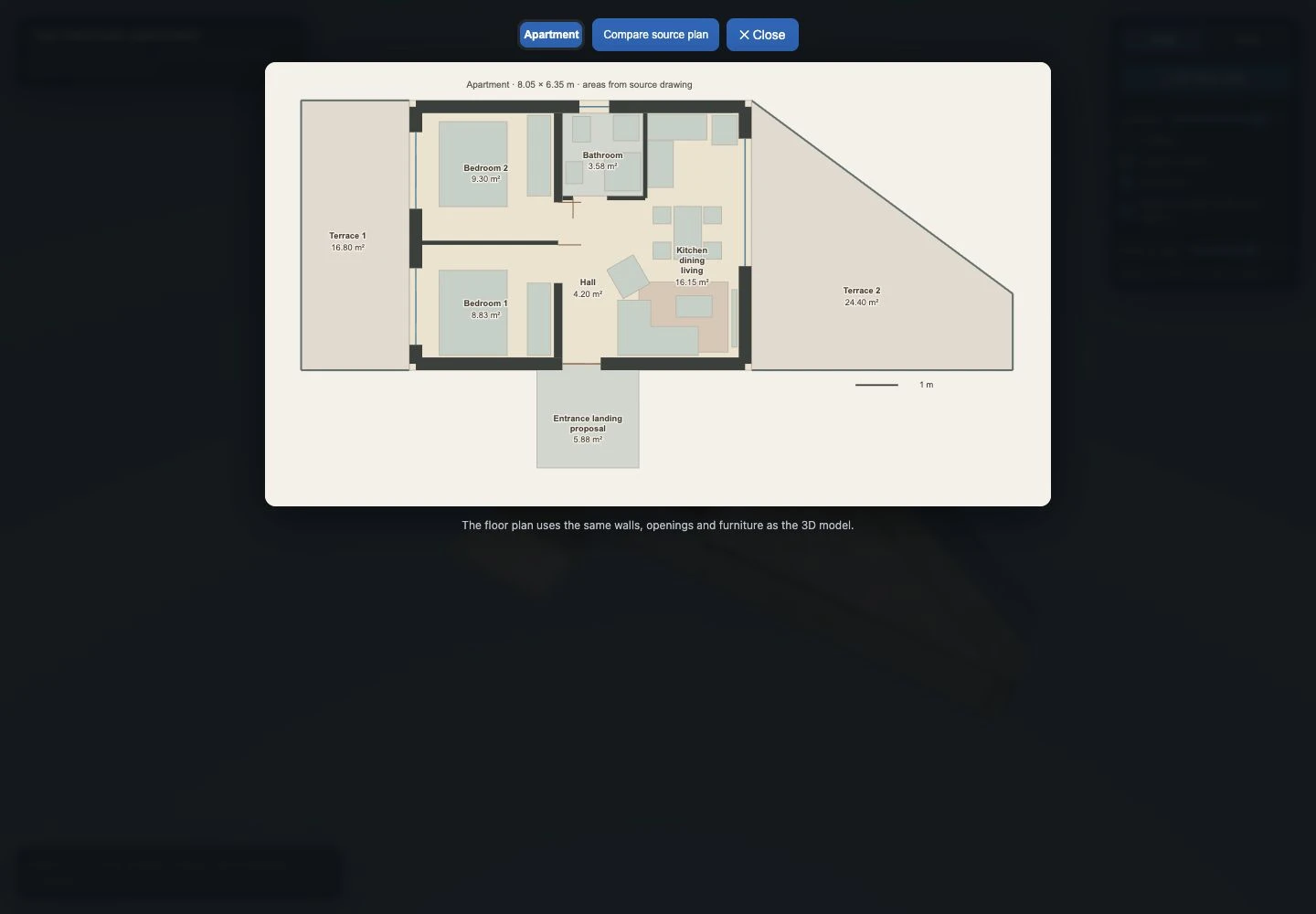
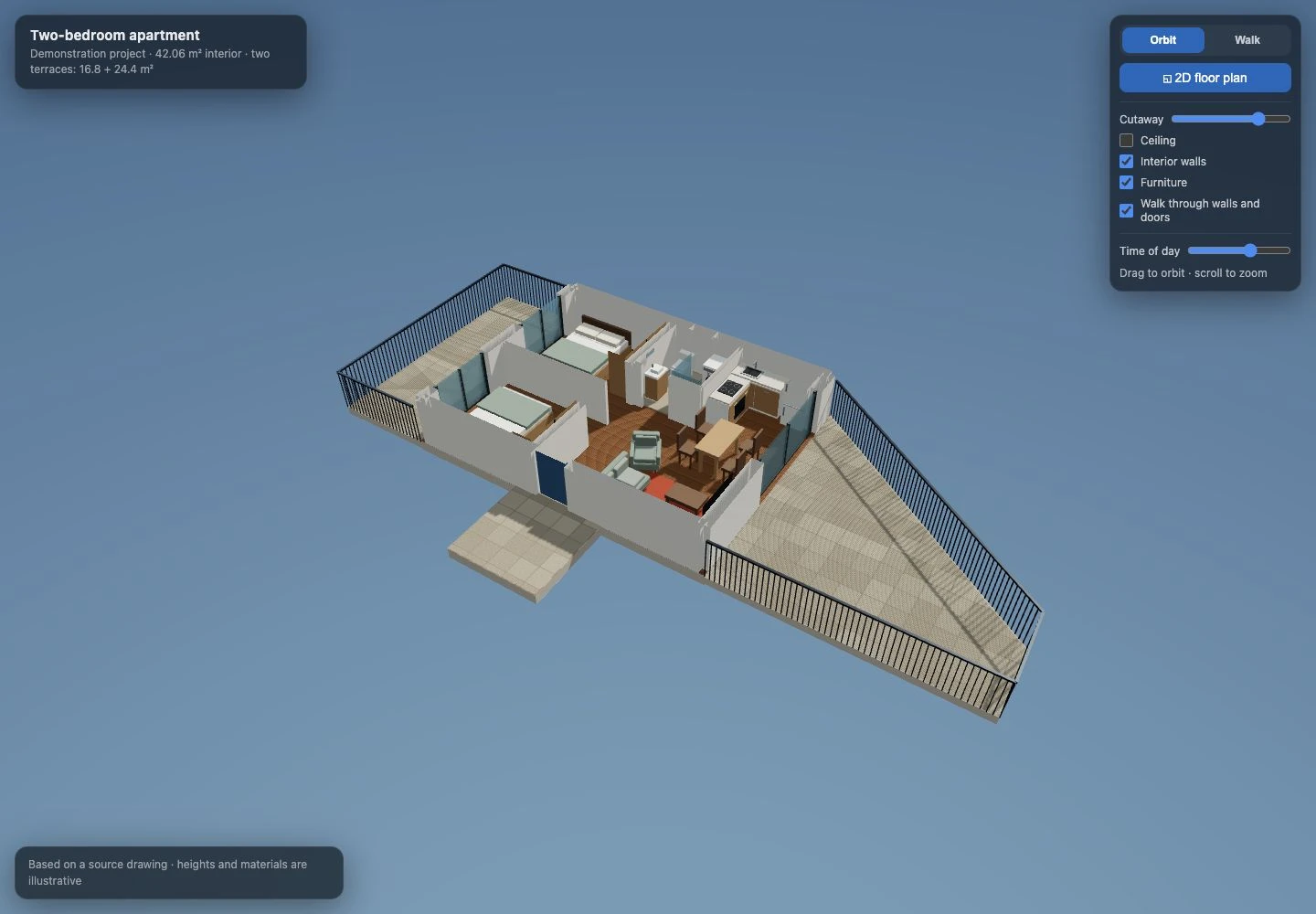
Our apartment demonstration records room areas from the drawing separately from approximate traced polygons. The source labels total 42.06 m² for the interior. That number is a source fact about labelled rooms, not a claim that an approximate visualisation has independently surveyed the property to two decimal places. The distinction should remain visible when reviewing any model.
Heights are a separate set of questions
A floor plan may provide strong horizontal dimensions without defining floor-to-ceiling height, sill level, door height or the relationship between storeys. A section or elevation may contain those values. Include confirmed information when available, but do not silently present a reasonable default as something measured from the plan.
For an early visualisation, illustrative heights can help you understand the layout. They remain assumptions until supported by the source. Complex roof geometry and structural levels require more than a simple plan image. Use the model to identify which questions need clarification, especially before ordering products or planning building work.
Check scale through everyday objects and routes
Once the model is ready, compare known door widths, bed sizes and circulation routes with the source. A recognisable object can expose a problem, but do not use a generic furniture symbol as your only dimensional reference. Drawn sofas and beds are often indicative, and a model’s illustrative furniture is not proof of an actual product’s size.
Review the full occupied space around a dining table, including chairs. In our apartment development, the table and chairs had to follow the same orientation, and the kitchen return needed another source comparison. These are practical checks on proportions. They do not replace measuring the actual furniture or confirming how a proposed kitchen will be built.
Use a simple dimension brief
A useful brief might read: exterior width confirmed from the drawing; bedroom width is an internal dimension; ceiling height unknown; terrace outline partly cropped; furniture arrangement is a proposal. That separates reliable input from questions the visualisation needs to keep open. It is more useful than a long list of unlabelled numbers.
A Planwalk project costs €20 + VAT and includes three revisions. Five additional revisions cost €5 + VAT. After confirmed payment, the backend creates the model and emails a unique viewing link when it is ready. If the visualisation cannot be completed, all payments for that project, including VAT, are automatically refunded to the original payment method.
Questions about this workflow
Can room areas establish the scale by themselves?
They can help cross-check a result but do not uniquely define wall lengths or room proportions. Use confirmed linear dimensions where possible.
Does image resolution tell you the real size of the home?
No. More pixels may improve readability, but the model still needs a reliable dimensional reference.
What if two dimensions disagree?
Check units, revisions and measurement conventions, then ask the drawing’s author or a qualified professional to resolve the difference. Do not hide the conflict with an arbitrary scale adjustment.